Restore
Restore old photos on iPhone without uploading them.
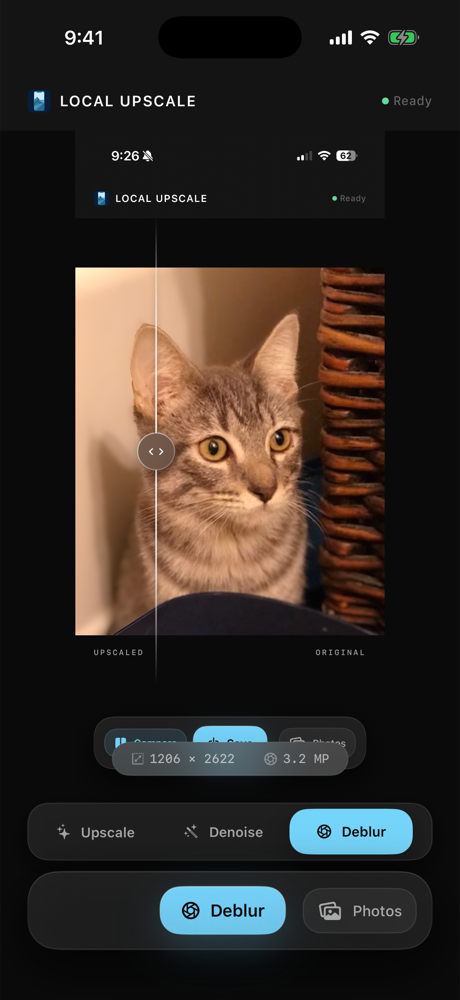
Old family photos, scanned prints, saved downloads, and cropped screenshots often need a mix of upscaling, denoise, deblur, and portrait restore. Local Upscale gives you those modes in one private iPhone workflow, then lets you compare before saving a new copy.
Start with the problem you see
Use 4x upscale when the photo is small, denoise when the image has grain or speckles, deblur when the shot is soft, and portrait restore when faces need more detail.
A private restoration workflow
- Choose the old photo or scanned image you want to improve.
- Pick the mode that matches the main issue: upscale, denoise, deblur, or portrait restore.
- Run the enhancement locally on your iPhone or iPad.
- Compare the original with the restored result.
- Save a new copy to Photos only if it is better.
Local Upscale is built for personal images you do not want to hand to a web service. It does not require a subscription, does not run ads, and does not upload selected photos to app servers for enhancement.
Where it helps most
This workflow is best for old family snapshots, scanned prints, low-resolution inherited photos, lightly blurred portraits, and saved images where you want a cleaner copy without opening a full cloud editor.