Family Photos
A private photo enhancer for family photos and old snapshots.
Family photos often feel different from throwaway images. They may include kids, relatives, documents, old prints, or personal moments. If you only need a clearer copy, uploading them to a cloud editor can feel like the wrong tradeoff.
Start with what the photo needs
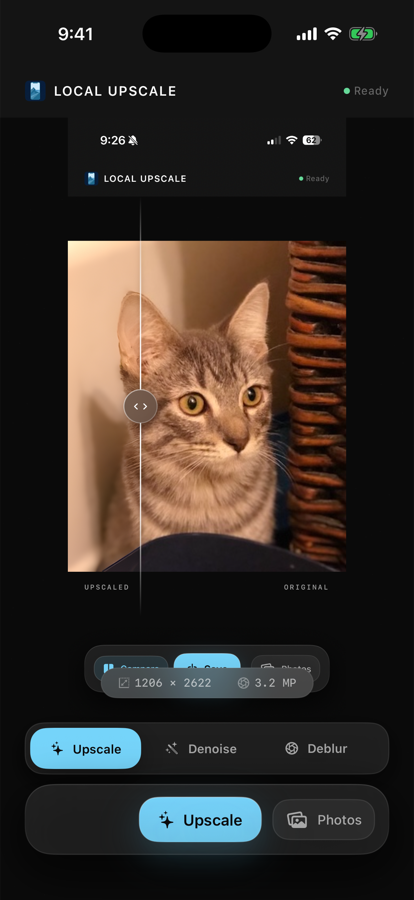
Old scans and small downloads often need 4x upscaling. Low-light snapshots usually need denoise. Soft portraits may need deblur or portrait restore. Local Upscale keeps those choices separate so you are not guessing through a giant editor.
A practical family-photo workflow
- Choose the photo from your library.
- Pick the main problem: small, grainy, soft, or face detail.
- Run the enhancement locally on your iPhone or iPad.
- Compare the original and enhanced version.
- Save a new copy only when the result is actually better.
Why local processing helps
Local Upscale does not require an account and does not upload selected photos to app servers. That matters for personal images where convenience is not the only concern. You still get a simple enhancement workflow, but the photo stays on your device while the app works.
Old family snapshots, scanned prints, lightly blurred portraits, small saved images, private screenshots, and photos you want to improve without creating another online account.
Not every photo can be rescued
Very damaged, severely blurred, or tiny images can still hit limits. The useful test is simple: run the mode, compare before and after, and keep the output only if it makes the photo easier to use or share.