
Alternative
A Remini alternative for iPhone when privacy matters.
Some photo enhancer apps are built around cloud processing, accounts, credits, or subscriptions. Local Upscale is for the smaller job: make a photo clearer on your iPhone or iPad without sending it to an app server.
What Local Upscale is good at
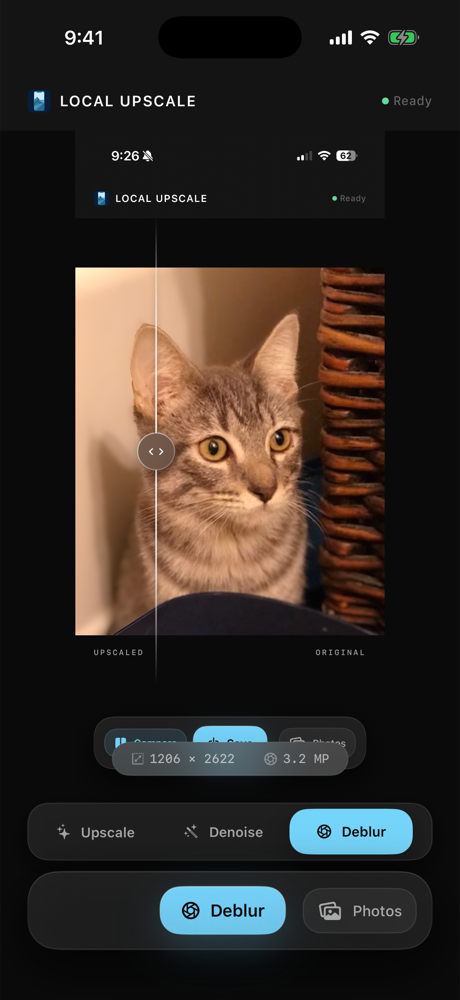
Use Local Upscale when you want to enlarge a low-resolution photo, reduce noise, sharpen a soft shot, or improve portrait detail without uploading the image. The app keeps the workflow intentionally narrow: choose a photo, pick the mode, compare the result, and save only if it helps.
Where a bigger cloud editor may still be better
If you want face filters, avatar generation, social templates, account sync, or a full editing suite, a broader cloud product may be a better fit. Local Upscale is not trying to replace every creative photo app. It is a private utility for the enhancement jobs that do not need a server.
The main differences buyers ask about
- Processing location: Local Upscale runs enhancement on device instead of operating a photo-processing backend.
- Purchase model: Local Upscale is a one-time App Store purchase, not a monthly subscription.
- Workflow: The app focuses on 4x upscale, denoise, deblur, portrait restore, comparison, and saving to Photos.
- Privacy posture: There is no account, no ads, no tracking SDK, and no upload queue for selected photos.
Old family photos, private portraits, saved screenshots, small downloads, client reference images, and photos you do not want to hand to a web service.
Try the focused option first
If your real job is "make this picture clearer" rather than "build a whole photo project," a focused local app can be easier to trust and faster to understand.